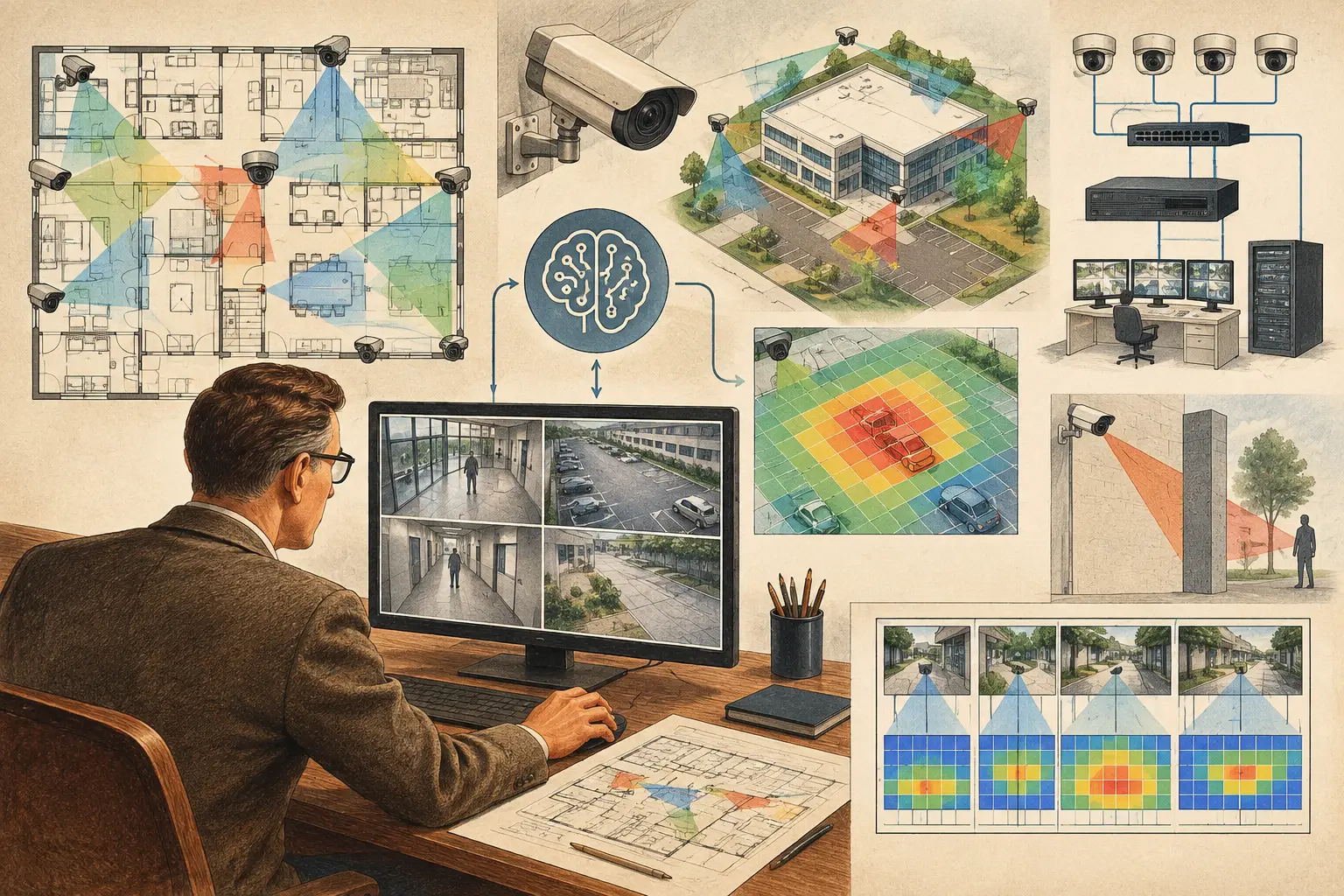
A camera cone placed on a floor plan can look convincing while failing the project brief. It may stop at the wrong distance, pass through a wall, provide insufficient pixel density at a doorway, or leave a critical approach route unobserved. AI assisted security design can reduce the time required to find these issues, but it does not remove the need to define the security objective, validate geometry, and review the resulting design.
For physical-security teams, the useful question is not whether artificial intelligence can “design a CCTV system.” It is where it can accelerate repetitive design work without obscuring the engineering decisions that determine field performance.
What AI assisted security design should do
In a CCTV workflow, AI is most valuable when it turns a drawing into a faster starting point for technical review. It can help interpret imported plans, identify likely walls or rooms, suggest candidate camera positions, flag apparent gaps, and organize design inputs. Those capabilities can reduce time spent tracing geometry or making an initial coverage pass, particularly on large, repetitive, or frequently revised projects.
The output should be treated as a recommendation, not a verified design fact. A plan may contain glass partitions, open doors, temporary construction areas, reflected ceiling layouts, legends, furniture symbols, or poor scan quality. An automated wall-detection result can mistake linework for a physical obstruction or miss an obstruction that matters to the field of view.
A disciplined process therefore keeps the designer in control. The designer confirms scale calibration, corrects walls and openings, sets mounting conditions, selects technical camera parameters, and evaluates whether the coverage supports the stated operational requirement. AI shortens the route to that review. It does not establish the requirement or sign off the result.
Start with an engineering brief, not camera placement
A useful AI-assisted workflow begins before a floor plan is uploaded. Define what each monitored area needs to achieve. A reception entrance may require identification-quality coverage at a controlled threshold. A loading yard may need observation of vehicle movement, while a perimeter route may need detection at a longer distance. These are different objectives, even if they appear on the same drawing.
Translate each objective into measurable criteria. This commonly includes required pixel density in pixels per meter (PPM), target distance, field of view, camera mounting height, and expected direction of travel. DORI provides a practical framework for expressing detection, observation, recognition, and identification requirements, but the appropriate criterion depends on the project brief and the operational use of the image.
AI cannot infer these decisions reliably from architecture alone. A corridor is not automatically an identification zone, and a parking area is not automatically a detection-only zone. Security consultants, project owners, and operational stakeholders must establish the use case first.
Verify the drawing scale and physical geometry
Scale calibration is a critical control point. If the drawing scale is wrong, calculated coverage distances, camera heights, focal-length selection, and PPM outputs will all be misleading. Use a known dimension from a reliable drawing source, then check it against a second reference where available.
Next, review the geometry that will affect line of sight. Walls, columns, doors, shelving, racks, gates, and changes in elevation may create occlusion. For exterior designs, consider fences, landscaping, vehicle standing areas, and potential seasonal growth where relevant. Not every object needs to be modeled to the same level of detail, but any item that can block a required view should be represented or recorded as an installation-stage constraint.
Turn AI suggestions into tested camera positions
AI-generated placement suggestions can be a useful first pass for broad coverage. They are often less useful for the locations that matter most: a facial capture point at an entrance, a cash-handling area, a vehicle gate, or a constrained corridor with competing views. Those locations need deliberate camera selection and framing.
For each proposed position, review the relationship among sensor size, resolution, focal length, mounting height, tilt, direction, and target distance. A wide field of view may cover more floor area but spread available pixels across a larger scene. A narrower focal length may improve pixel density at a distant target while increasing the risk of losing contextual coverage. There is no universally correct setting.
Calculated DORI and PPM values help make this trade-off visible. If an identification requirement applies at a doorway, test the relevant plane or zone, not simply the centerline of the camera view. If people can approach from multiple directions, a single camera may not provide the required face angle or image quality for every movement path.
Review blind spots and overlap deliberately
Coverage analysis should distinguish between visible floor area and useful coverage. A camera may technically see a region while offering only low pixel density, an unfavorable viewing angle, or a view blocked when a door is open. Mark these limitations rather than presenting the whole cone as equally effective.
Overlap is also a design choice. Some overlap provides continuity during an incident, supports handoff between cameras, and can reduce uncertainty around blind corners. Excessive overlap can add cost, bandwidth, storage demand, and operational complexity without improving the outcome. The right amount depends on the risk, the required image purpose, and the consequences of losing a view.
This is where AI can assist by highlighting apparent gaps or duplicate coverage areas across a plan. A qualified reviewer still needs to decide whether a gap is material and whether overlap is justified.
Include network planning before the design becomes a drawing set
Camera placement affects more than visual coverage. It determines cable routes, PoE switch locations, cabinet capacity, uplink requirements, and resilience options. A technically sound camera layout can become difficult to install if network topology is considered only after the coverage design is complete.
As positions are refined, group cameras by area, communications room, or field cabinet. Record expected connectivity paths and identify long runs, outdoor transitions, and locations where wireless or fiber design may require specialist review. Bandwidth and storage calculations should be based on the selected camera configuration and recording assumptions, not only on camera count.
AI can help organize camera schedules and identify inconsistencies between repeated design elements. It should not be assumed to validate final network capacity, power budgets, cybersecurity controls, or manufacturer-specific behavior. Those items require project-specific inputs and review by the appropriate technical disciplines.
Maintain traceability through revisions
The practical value of AI assistance is often greatest during change. Architects revise partitions, a client adds a door, a site team reports an obstruction, or an ICT engineer changes cabinet locations. Without a connected workspace, each change may require edits across CAD files, spreadsheets, marked-up PDFs, and reports.
A persistent design model makes the impact easier to assess. After a drawing revision, recheck scale calibration if the source has changed, confirm affected walls and openings, review fields of view, and recalculate DORI or pixel-density coverage where target distances have moved. Update the camera schedule and network topology at the same time.
CCTV Design Tool Online supports this type of engineering workflow by bringing calibrated plans, camera parameters, physical geometry, coverage analysis, network planning, and reporting into one browser-based workspace. The platform’s calculations remain dependent on the accuracy of the entered data and the professional judgment applied to the design.
Produce a deliverable that can be reviewed
A security design is easier to coordinate when its assumptions are visible. A structured deliverable should show camera locations, names, direction, mounting information, field-of-view graphics, DORI or PPM results, relevant blind spots, overlap areas, and a camera schedule. Where network coordination is in scope, it should also communicate the intended topology and equipment grouping.
This documentation helps different reviewers ask better questions. An architect can identify a conflict with the built environment. An installer can assess mounting access and containment routes. An enterprise security manager can confirm whether the design reflects operational priorities. A project owner can understand what each camera is intended to accomplish.
Calculated design outputs are not a guarantee of installed performance. Final results can be affected by actual mounting position, lens adjustment, camera firmware, lighting, scene contrast, compression settings, weather, vibration, and new obstructions. Regulatory, privacy, and authority requirements also vary by jurisdiction and should be verified for the specific project by qualified professionals.
The best use of AI in security design is therefore disciplined acceleration: let it reduce repetitive work, reveal questions sooner, and preserve traceability through change. Keep the final decision with the people who understand the site, the risk, and the evidence the system must deliver.