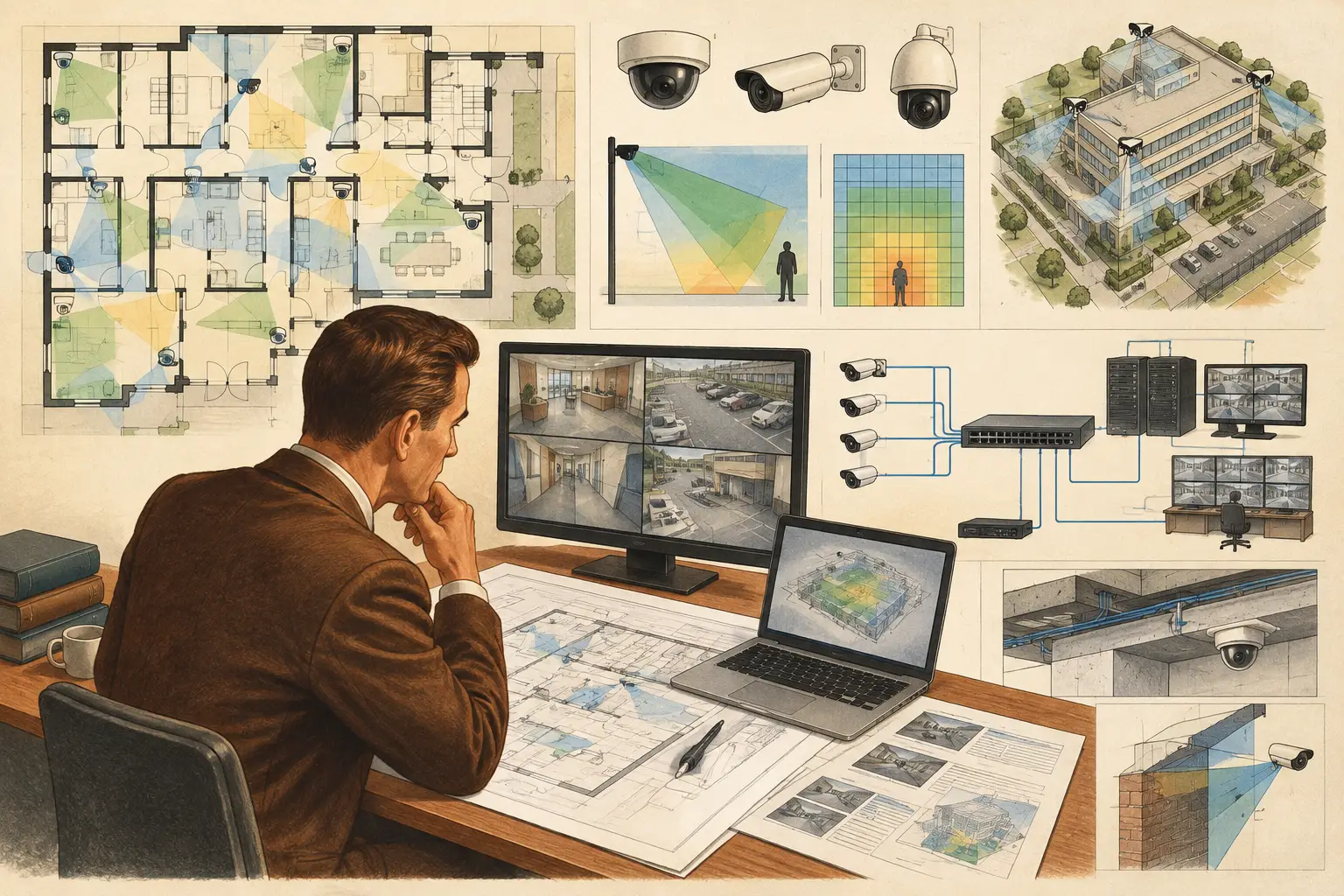
A CCTV consultant rarely loses time because a camera symbol is difficult to place on a drawing. The real work is proving why that camera is there, what it can reasonably capture, what may block it, how it connects, and whether the design can be understood by installers, ICT teams, architects, and project owners. The best tools for CCTV consultants support that chain of decisions rather than producing attractive but unverified camera cones.
Start With the Deliverable, Not the Software
Tool selection should begin with the expected project output. A small retail fit-out may require a marked-up plan, a camera schedule, and a concise scope of work. A campus, transport facility, or mixed-use development may require coordinated floor plans, site-wide coverage reviews, DORI assessment, network topology, storage inputs, phased revisions, and a technical report that can withstand multidisciplinary review.
This distinction matters because disconnected tools often create disconnected decisions. A consultant may draw camera positions in CAD, estimate coverage in an image editor, calculate pixel density in a spreadsheet, and prepare schedules in a document template. Each application can be useful, but changes become difficult to trace. Move one camera because a ceiling beam creates an occlusion, and several files may need updating.
A practical CCTV tool stack should preserve a clear relationship between the drawing, the camera specification, the calculated field of view, physical geometry, network assumptions, and final documentation. It does not need to be a single application in every case. It does need to make revisions controlled and reviewable.
The Best Tools for CCTV Consultants by Design Task
Calibrated floor-plan and geometry tools
The first requirement is a dependable spatial reference. Before camera coverage can mean anything, import the available floor plan, site plan, or reflected ceiling plan and calibrate its scale against a known dimension. An uncalibrated drawing can make a convincing coverage layout fundamentally unreliable, especially where target distances and pixel density are being assessed.
A suitable design tool should allow the consultant to create or review walls, partitions, openings, building edges, and relevant obstructions. The distinction between a wall and an open doorway is not cosmetic. It affects whether a camera can see into an adjacent room or whether its field of view terminates at a physical barrier.
For early feasibility work, geometry may be simplified. For a detailed design, it should reflect the information available from architectural coordination. Ceiling bulkheads, racking, columns, fences, gates, and landscape features can all create blind spots. The appropriate level of detail depends on project stage, but the consultant should be able to identify assumptions rather than bury them in a drawing.
Camera field-of-view and optical calculation tools
A camera icon and a generic viewing cone are not enough for engineering review. The tool should use technical inputs such as resolution, sensor size, focal length, mounting height, direction, and tilt to calculate the field of view. Those inputs should be visible and editable, because a coverage result is only as credible as the assumptions behind it.
Pixel density is particularly important when the required task is more demanding than general observation. PPM, or pixels per meter, helps the designer assess image detail at different distances. DORI provides a structured way to discuss whether a scene supports detection, observation, recognition, or identification. It is more useful than declaring that an area is simply “covered.”
Calculated DORI and PPM results are design outputs, not a guarantee of live-image performance. Lighting, motion, compression, scene contrast, lens quality, camera processing, weather, and installation tolerances can materially affect the result. The calculation should guide specification and review, while commissioning and field testing confirm actual performance.
Lens selection is also where a calculation tool earns its value. A wide focal length may cover more scene area but reduce pixel density at the far edge. A longer focal length may improve detail at a gate, cash point, or doorway while narrowing context around the target. Consultants need to test these trade-offs quickly, particularly when a client asks whether one camera can replace two. Sometimes it can. Often, the missing context or reduced detail makes the apparent saving a poor design decision.
Occlusion and coverage-analysis tools
A field of view that passes through a wall is not coverage. Nor is a layout with no consideration of columns, shelving, parked vehicles, access-control readers, or other camera housings. The most useful coverage tools visualize line-of-sight constraints and make blind spots visible before the installation team discovers them on site.
Overlap should also be assessed deliberately. In some locations, overlap gives operational resilience and a second viewing angle for an incident. In other areas, overlap may add cost without improving the stated security objective. The right question is not whether overlap exists everywhere, but whether it exists at the points where the risk assessment, operational workflow, or evidential requirement justifies it.
Look for tools that let reviewers compare views across a plan rather than inspecting each camera in isolation. A reception desk, loading bay, emergency exit, and perimeter gate may all have different coverage objectives. The drawing should make those objectives legible to non-specialist stakeholders without hiding the engineering detail from the technical team.
Network planning and documentation tools
CCTV design does not stop at the camera. Every device needs a logical path to the network, recording infrastructure, power source, and equipment location. A network planning tool should help the consultant map camera groups, switches, uplinks, cabinets, and topology assumptions. It should also make clear where ICT design inputs are pending rather than implying that a preliminary diagram is a final network design.
Bandwidth and storage calculations are necessary, but they should be tied to stated assumptions: codec, resolution, frame rate, scene activity, retention target, recording mode, and camera count. Manufacturer-specific behavior and VMS configuration can change actual outcomes. Treat calculator outputs as planning inputs that need validation against selected products and the final system architecture.
Documentation tools are equally important. A camera schedule should retain the camera ID, location, mounting height, direction, focal length or lens range, intended purpose, and relevant coverage notes. When a design changes, the schedule and drawing should change together. This reduces a common coordination failure where a plan shows one camera type, a bill of quantities shows another, and installers receive a third interpretation in marked-up PDF comments.
A Connected Design Workspace Has a Different Role
General CAD tools remain valuable for architectural coordination. Spreadsheets remain useful for commercial schedules and data checks. Site survey applications remain necessary for recording field conditions. The issue is not replacing every tool. It is avoiding a workflow where the central design logic exists only in a consultant's memory.
A browser-based platform such as CCTV Design Tool Online is designed for the central engineering workspace: import and calibrate the drawing, define geometry, position cameras, configure technical parameters, review field of view and DORI, identify occlusion and overlap, plan network connectivity, and generate a structured deliverable. Its brand-agnostic approach is useful during specification because decisions can be based on camera parameters rather than a single manufacturer's catalog.
That workflow is especially valuable during revisions. If an architect moves a wall, the consultant can reassess the affected field of view, blind spots, and camera positions in the same project environment. If the client changes the required observation point to recognition at a visitor entrance, the effect on focal length, placement, and camera count becomes visible rather than being handled as an informal comment.
Use Site Tools to Verify, Not Merely Illustrate
Desktop design requires field verification. A tape measure or laser distance meter, site photographs, ceiling-height checks, and records of actual obstructions remain essential. For exterior projects, the survey should consider terrain, fence lines, vegetation growth, lighting locations, vehicle routes, and potential mounting structures. For interiors, confirm ceiling types, services congestion, door swings, partitions, and final furniture layouts where possible.
Use the site visit to test the assumptions that matter most. Is the proposed mounting height achievable? Will a camera view be blocked when a roller shutter is open? Does a glazed entrance create reflections at night? Is a proposed network cabinet within the project’s coordination constraints? These are not minor details. They determine whether a calculated design can be installed as intended.
Regulatory, privacy, cybersecurity, and authority requirements must also be assessed against the applicable jurisdiction, project brief, and current requirements. Design software can organize evidence and calculations, but it does not replace qualified professional review or formal authority processes.
The strongest consultant toolkit is therefore not the longest list of applications. It is a disciplined workflow in which every camera decision can be traced from a calibrated plan and defined operational objective to a documented, reviewable design. When the drawing changes, the reasoning should change with it.