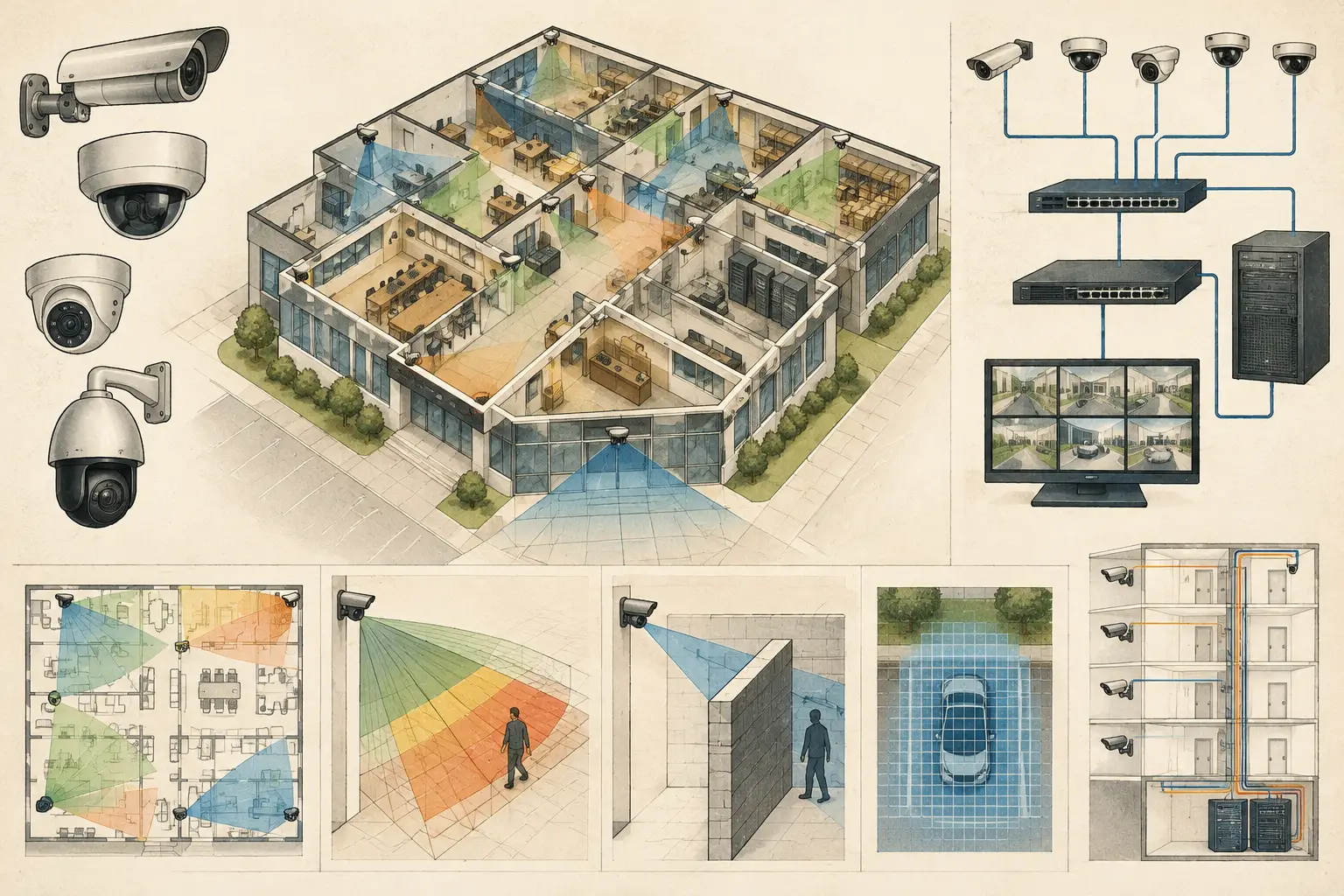
A camera can meet its DORI target on the drawing and still fail to deliver usable video if its network path is undersized, poorly powered, or difficult to maintain. This CCTV network topology guide treats connectivity as part of the design model: every camera needs a defined physical path, logical path, power source, bandwidth allowance, and recording destination.
For small systems, these decisions may appear straightforward. For multi-floor buildings, campuses, outdoor perimeters, or sites with several communications rooms, topology determines whether the system remains manageable during expansion, maintenance, and fault investigation. The right arrangement depends on camera count, bitrate, retention design, distances, resilience requirements, existing ICT infrastructure, and the client's operational priorities.
Start With the Video Traffic, Not the Switch Count
A topology should be sized from expected traffic rather than from the number of available switch ports. Begin with each camera's planned resolution, frame rate, codec, scene complexity, and recording mode. A busy entrance, roadway, or retail aisle can produce materially different bitrate from a static corridor, even when cameras share the same nominal specification.
Use a design bitrate for initial network planning, then identify where actual commissioning measurements will be required. Constant bitrate and variable bitrate settings change the traffic profile. Motion-based recording may reduce average storage demand, but it does not necessarily reduce the instantaneous load that a live viewing or recording network must handle.
Add the camera bitrates at each access switch, then trace the aggregate traffic toward the recorder, video management system, or storage server. This exposes a common issue: 24 cameras may fit comfortably across access-switch ports, while their combined traffic can saturate a 1 Gb uplink during normal recording or live review.
Bandwidth planning should also account for management traffic, client viewing, exported video, analytics processing where applicable, and a sensible engineering margin. The exact margin is project-specific. It should be documented as a design assumption rather than presented as a guaranteed prediction of field performance.
Choose a CCTV Network Topology That Matches the Site
Most IP video systems use a hierarchical star topology. Cameras connect to local access switches, access switches connect to distribution or core switches, and recording resources sit at the central layer or within a designated security network. This structure is easy to expand, isolate, and document.
A simple star can be suitable for a small office with one communications room. A larger facility may need several stars connected through fiber uplinks, each serving a floor, building zone, gatehouse, or external cabinet. The physical layout should follow cable routes and distance limitations, not merely the floor plan's visual center.
Access Layer: Where Cameras Connect
The access layer is the camera edge. Its key inputs are port count, Power over Ethernet capacity, environmental rating, installation location, and uplink capacity. Allocate ports with room for approved future cameras, but do not treat spare ports as proof that spare PoE power or uplink bandwidth also exists.
PoE is often the limiting factor. Calculate the total power budget from the camera load, including credible peak demand for infrared illumination, heaters, blowers, pan-tilt-zoom movement, or integrated accessories where specified. Compare the calculated requirement with the switch's available PoE budget, not only its per-port capability. Actual equipment selection must be verified against current manufacturer datasheets.
Outdoor and distributed cabinets require further coordination. Consider ambient temperature, surge protection strategy, cabinet ventilation, local power availability, fiber termination, access for maintenance, and the route back to the nearest network room. These are engineering coordination items, not assumptions a camera schedule can resolve by itself.
Distribution and Core: Where Aggregation Becomes Critical
Distribution switches aggregate access-switch traffic. Their uplinks often need higher capacity than the camera-facing links, particularly when multiple access switches record to a central server. Fiber is commonly selected for building-to-building links, long runs, and electrically noisy environments, subject to the project's physical and ICT requirements.
Redundant paths can improve availability, but redundancy must be intentional. A ring, dual-homed access switch, or paired core design may help meet an availability objective. It also introduces protocol, configuration, and failure-mode considerations. Without correct design and testing, a second path can create loops or leave a fault hidden until the primary link fails.
State the intended behavior plainly in the design documentation: which links are primary, which are standby, which equipment is expected to remain operational after a failure, and what single points of failure remain. Resilience is rarely absolute, especially where cameras rely on one local power source or one field cabinet.
Separate Video Traffic From General User Traffic
Logical segmentation is as important as the cable diagram. A dedicated video VLAN is commonly used to separate camera traffic from general office devices and simplify addressing, access control, and troubleshooting. Recording servers, operator workstations, and video management components may require controlled communication across VLANs or security zones.
The appropriate segmentation model depends on the organization's network architecture and cybersecurity policies. Security designers should coordinate early with the ICT team on IP addressing, routing, multicast behavior, time synchronization, authentication, remote access, and the responsibility for switch administration. These items should not be left for installers to resolve during final commissioning.
Avoid assuming that an isolated VLAN is automatically secure or that a camera network should always be physically separate. Either approach can be appropriate depending on risk, governance, support capability, and existing infrastructure. The design deliverable should show the required boundaries and interfaces, while qualified project stakeholders define the final security controls.
Coordinate Network Paths With Coverage Design
Network topology is easier to validate when it is connected to the physical camera plan. Each camera ID should be traceable from its symbol on the calibrated drawing to its mounting location, camera specification, switch port or cabinet, network segment, and recording destination.
This matters when coverage revisions occur. Moving a camera to remove an occlusion, improve pixel density, or achieve the required DORI zone may change cable length, PoE loading, cabinet selection, or the access switch it should use. A network schedule maintained separately from the coverage drawing can fall out of date quickly.
In CCTV Design Tool Online, the design workspace can support this coordination by keeping camera positions, physical geometry, fields of view, and network planning information in one reviewable project context. The calculated field of view and coverage outputs still require professional review against site conditions, final equipment selections, and installation constraints.
Build a Topology Deliverable Others Can Review
A useful topology diagram is not just a collection of icons. It should make the signal and power path understandable to the installer, ICT reviewer, client representative, and future maintainer. At minimum, identify cameras or camera groups, access switches, uplink media and capacity, network rooms or field cabinets, recording or VMS components, and relevant logical segments.
Pair the diagram with a schedule that records device names, locations, port allocations, PoE calculations, estimated or specified bitrate, uplink loading assumptions, and any resilience notes. Where the project is phased, show what is installed now versus reserved for later. This provides traceability when a client asks why a particular switch, fiber count, or cabinet size was selected.
Validate Before Handover
Commissioning should test the design assumptions rather than merely confirm that images appear on screen. Verify camera connectivity, actual power draw, link speed, packet loss, recording continuity, time synchronization, live-view behavior, and storage performance under representative load. Test failover paths where they have been specified.
Document deviations between the design and the installed system. A changed focal length, mounting height, codec setting, or switch location can affect both video quality and network demand. As-built documentation should reflect the installed arrangement, while regulatory, privacy, and authority requirements must be checked for the applicable jurisdiction by qualified professionals.
A clear topology gives every camera more than an address. It gives the project team a traceable route from coverage intent to recorded evidence, and a practical basis for maintaining the system after the drawings are issued.