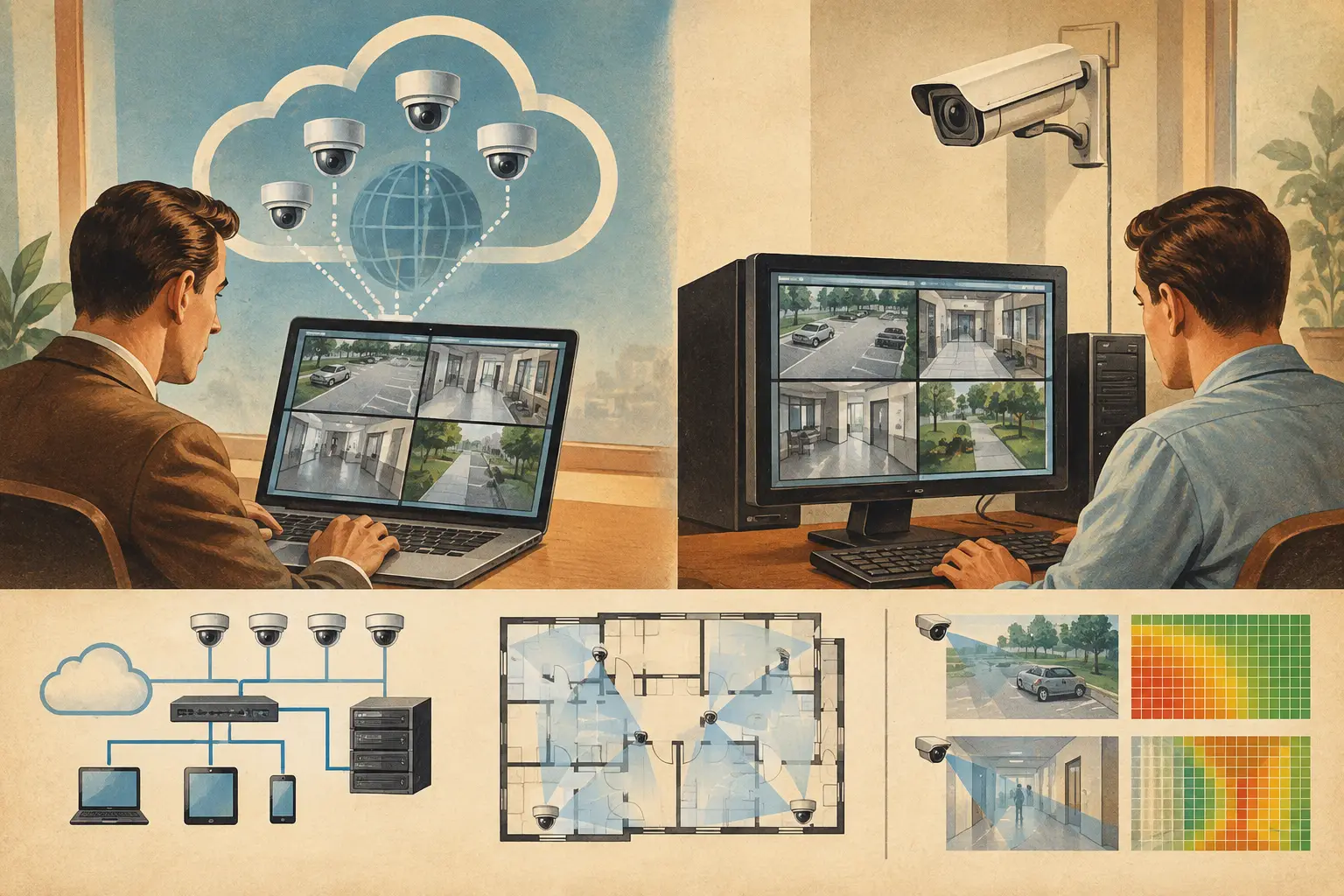
A CCTV drawing can look complete while still failing the questions that matter at installation: Can the camera identify a person at the required point? Does a wall block the field of view? Is the plan scale correct? Can the design team explain why each camera is there? The decision between cloud versus desktop CCTV tools affects how reliably those questions are answered, reviewed, revised, and documented.
For many projects, this is not a simple choice between a browser and an installed application. It is a choice between two engineering workflows. One may prioritize local control and established CAD processes. The other may prioritize a shared design workspace that keeps floor plans, camera parameters, coverage calculations, network planning, and reports connected as the project changes.
What cloud and desktop tools actually mean
A desktop CCTV design tool is installed on a workstation and commonly used alongside local CAD files, spreadsheets, image editors, and separate reporting templates. It may be part of a wider design environment or a specialized application for placing cameras on a drawing. Files are usually saved locally, on a project server, or within a document-management system.
A cloud CCTV design tool runs in a web browser. The project data is maintained in a centralized online workspace, subject to the provider's architecture and the project's access policies. Authorized users can generally open the same current design without sending revised files between consultants, installers, and reviewers.
Neither format automatically produces a sound security design. The quality of the output still depends on the inputs: calibrated drawing scale, camera location, mounting height, sensor size, focal length, direction, tilt, scene geometry, target area, and required pixel density. A browser-based workflow does not replace engineering review, just as a desktop workflow does not guarantee that the latest schedule matches the latest drawing.
Cloud versus desktop CCTV tools: the practical differences
The most useful comparison is not feature count. It is how each approach behaves when the design must survive revisions, multidisciplinary coordination, technical review, and handover.
Drawing control and scale calibration
Desktop tools can suit teams whose approved architectural backgrounds are already controlled in a local CAD environment. A designer can work directly within established layers, title blocks, and file conventions. This is valuable where the security design needs to be tightly coordinated with a broader construction documentation set.
The risk appears when the CCTV analysis is separated from the drawing. A camera cone pasted into a CAD plan or image editor may not remain linked to its focal length, sensor size, mounting height, or pixel-density requirement. After an architectural revision, the plan may move while the assumptions behind the coverage illustration remain in a spreadsheet or in the designer's notes.
Cloud tools are often stronger when the workflow begins by importing and calibrating the floor plan, then keeping physical geometry and camera settings within the same workspace. Calibration deserves careful review in either environment. A small scale error can change calculated distances, field-of-view width, and PPM results across the drawing. A calculated result is only as credible as the scale reference and dimensions used to create it.
Fields of view, obstructions, and DORI review
A basic camera symbol communicates intent. It does not demonstrate usable coverage. Good CCTV design requires the field of view to be assessed against walls, doors, partitions, racking, columns, and other occlusions. It also requires the designer to consider the target task at each location: monitoring general activity is different from detecting, observing, recognizing, or identifying a person.
Desktop workflows can support detailed geometry, particularly where experienced CAD operators maintain the model. However, the calculation may be manual or dependent on separate tools. That creates opportunities for drift: a focal length is changed on the schedule, but the field-of-view shape is not redrawn; a wall moves, but blind spots are not rechecked.
A purpose-built cloud workspace can keep the camera specification, calculated field of view, DORI or PPM review, coverage overlap, and occlusion analysis associated with the same camera object. This makes review more traceable, but it should not be mistaken for field validation. Lighting, compression, scene contrast, camera installation tolerances, actual lens selection, and manufacturer-specific image performance can all affect operational results after installation.
Collaboration and revision management
CCTV projects often involve more people than the first drawing suggests. Security consultants define objectives. Architects issue revised plans. ICT teams review switching and pathways. Integrators confirm practical mounting positions. Clients and project managers need a clear explanation of scope. A desktop workflow can support this process, but it often relies on disciplined file naming, PDF markups, email distribution, and manual consolidation.
Centralized cloud tools reduce the friction of locating the current design. Reviewers can assess the same wall layout, camera schedule, and coverage assumptions rather than compare several exported versions. This is especially useful when a late change to a reception desk, access-controlled door, or tenant partition affects multiple camera views.
The trade-off is that cloud use depends on reliable browser access and a provider's operational availability. Organizations with strict IT, data-hosting, or offline-work requirements may need a desktop-first process, or they may need to verify whether a cloud platform fits their internal policies before selecting it. Access permissions, audit needs, retention requirements, and contractual obligations should be evaluated project by project.
Network planning and design coordination
A camera layout becomes an implementable system only when it connects to network and power planning. Camera counts, recording assumptions, PoE switching, uplink capacity, cabinet locations, pathways, and network topology all need coordination. Desktop-based projects often manage this through separate schedules and spreadsheets, which can work well when their ownership and update process are clear.
The drawback is repeated data entry. If a camera changes from one resolution or frame-rate assumption to another, the bandwidth estimate, storage calculation, and switch-port schedule may require separate updates. The more disconnected the deliverables, the harder it is to prove that they describe the same revision of the system.
Cloud design platforms are valuable when camera specifications and network-planning inputs remain tied to the design workspace. The practical benefit is not that the platform decides the final topology. It is that teams can review a consistent set of inputs and expose missing information earlier. Final equipment selection, capacity margins, resilience, and installation constraints still require review by qualified security and ICT professionals.
When desktop tools remain the better choice
Desktop tools are not obsolete. They remain appropriate when the security consultant must work inside a mandated native CAD process, when a project requires offline capability, or when the team has mature local document controls that are consistently applied. They can also be the right choice for a specialist producing highly customized construction drawings under a defined CAD standard.
The key question is whether the desktop workflow preserves the link between the visual plan and the technical basis of design. If DORI checks, focal-length calculations, blind-spot assessment, network data, and reports live in disconnected files, the team should define a rigorous revision-control procedure before design development begins.
When a cloud workspace is the stronger fit
Cloud tools are particularly useful for iterative CCTV design, distributed review teams, and projects where coverage analysis must be understandable to non-specialist stakeholders. They support a more continuous workflow: import and calibrate the drawing, model walls and openings, position cameras, set technical parameters, review fields of view and occlusion, assess pixel density, coordinate connectivity, and generate a structured deliverable.
For example, CCTV Design Tool Online is designed around this connected workflow rather than around camera symbols alone. Its brand-agnostic approach allows a design to be evaluated using technical inputs such as resolution, sensor size, focal length, mounting height, tilt, direction, and required pixel density before the final camera model is confirmed against an official manufacturer datasheet.
This is most effective when teams use the platform as a design and review environment, not as a substitute for site verification. Ceiling obstructions, final finishes, mounting clearances, illumination conditions, and actual installed viewpoints should be checked before commissioning.
Choose the workflow that protects the design intent
Select a desktop approach when local CAD control, offline work, or project-mandated file formats are the governing constraints. Select a cloud approach when connected analysis, shared review, and traceable revisions are the bigger risks to manage. In many organizations, the most practical answer is hybrid: use the authoritative architectural drawing where required, while maintaining CCTV calculations and coverage evidence in a dedicated shared workspace.
The useful test is simple: when a reviewer asks why a camera is positioned, angled, and specified in a particular way, the project team should be able to show the calibrated geometry, field of view, target pixel density, occlusions, overlap, and network implications without reconstructing the decision from several disconnected files.