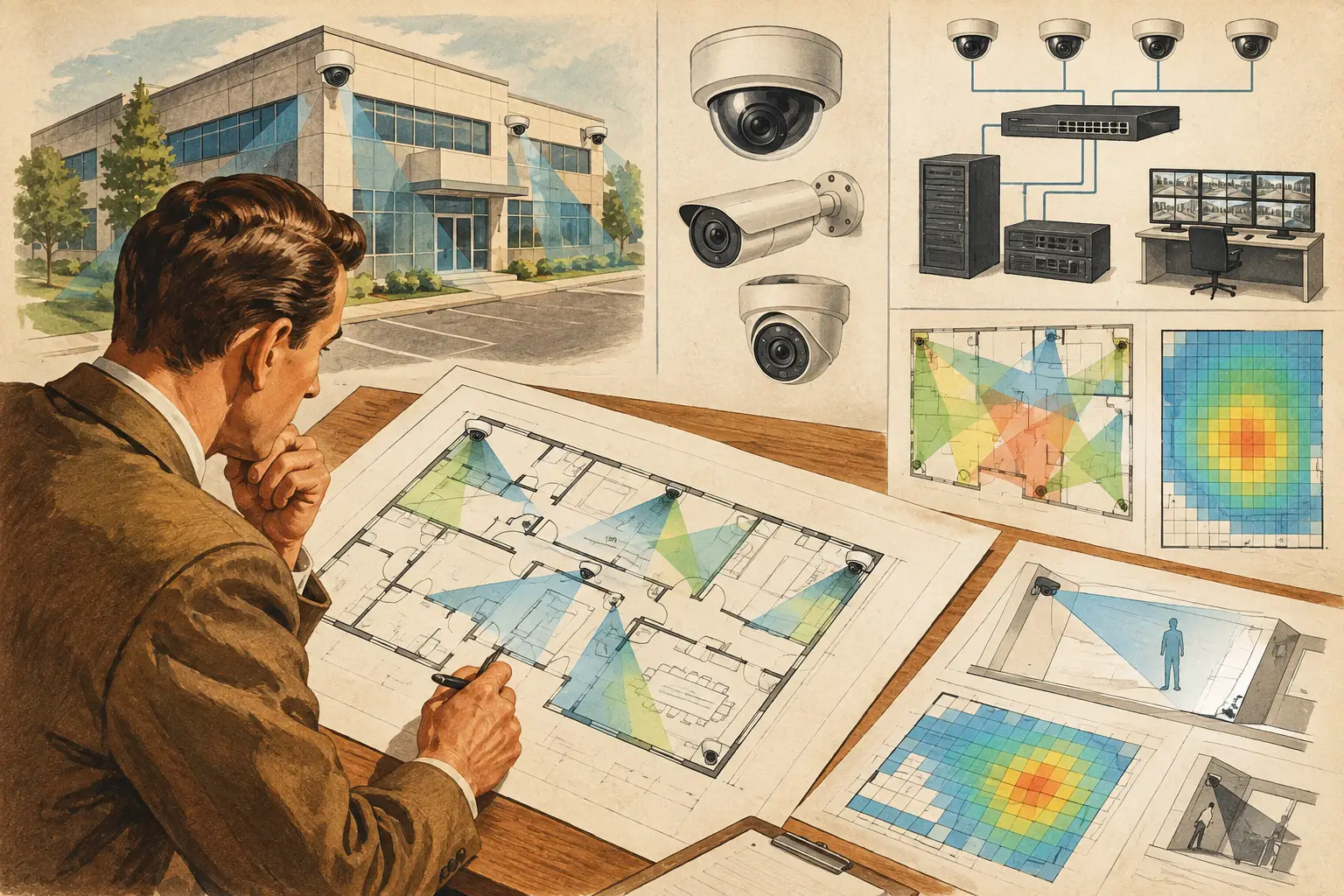
A camera layout can look convincing on an uncalibrated floor plan and still fail at the loading dock, stairwell, or vehicle gate. The essential surveillance site survey checklist is the bridge between a conceptual camera schedule and a design that can be reviewed, installed, and verified against real site conditions.
For consultants, integrators, and project teams, the survey is not simply a walk-through to count cameras. It is a structured process for recording physical geometry, operational risks, lighting conditions, mounting limitations, network pathways, and evidence requirements. The output should give the design team traceable inputs for field-of-view calculations, pixel-density targets, DORI review, network topology, and technical documentation.
Start With the Security Objective, Not the Camera
Every survey should begin by establishing what each area needs the CCTV system to achieve. “Monitor the lobby” is not sufficiently specific. A reception area may require general observation, while the entrance needs a usable facial image at a defined threshold line and the cash-handling position may require clearer identification of activity.
Record the operational purpose of each surveillance zone: deterrence, situational awareness, detection of movement, recognition of a known person, identification, vehicle observation, access-control verification, or incident investigation. These are design inputs, not performance guarantees. Actual results depend on the installed camera, scene lighting, compression settings, lens adjustment, maintenance, and the way people or vehicles move through the scene.
Define the critical targets and their likely positions. For example, at a vehicle entrance, identify the stop line, barrier, driver position, lanes, and any pedestrian route. In a warehouse, identify rack aisles, dispatch points, emergency exits, and high-value storage. This prevents a common design error: placing a camera to cover a large area without achieving the required pixel density at the point where an event is most likely to occur.
Essential Surveillance Site Survey Checklist: Survey Inputs
A reliable site survey captures the conditions that affect both coverage and installation. The following checklist is best treated as a working record, with photographs, marked-up drawings, measurements, and assumptions retained alongside it.
- Obtain the latest architectural, civil, landscape, and reflected ceiling plans where available. Confirm drawing revision status before using it as a design base.
- Measure at least one known dimension on each relevant drawing and verify it on site. This supports scale calibration and prevents field-of-view calculations from being based on an incorrect plan scale.
- Record floor levels, ceiling heights, soffits, parapets, canopies, poles, building setbacks, and changes in terrain.
- Identify walls, glazing, doors, gates, roller shutters, fences, landscaping, shelving, machinery, and temporary or seasonal obstructions.
- Photograph each proposed surveillance area from likely camera locations and from the target’s perspective where practical.
- Record available mounting structures, their approximate height, access method, structural constraints, and whether a dedicated bracket, pole, or protective enclosure may be needed.
- Identify electrical supply points, communications rooms, existing containment, pathways, penetrations, and the likely route back to network equipment.
- Note site restrictions that influence access, working hours, permits, safety procedures, or coordination with other trades.
The list is deliberately broad because surveillance performance is affected by more than the camera cone. A wall that is missing from the drawing, a door that opens into the scene, or a low canopy over a proposed mounting point can invalidate an otherwise reasonable layout.
Validate Geometry and Scale
Importing a drawing is only the first step. Check whether walls correspond with current construction, whether partitions are still planned or already installed, and whether the dimensions shown are reliable enough for scale calibration. On larger sites, verify multiple reference dimensions rather than assuming one measurement represents the entire drawing.
For outdoor areas, capture boundaries, gradients, retaining walls, trees, signs, parked vehicles, and future development zones. A camera mounted above a gate may have a clear line of sight during commissioning but lose effective coverage when mature landscaping, delivery vehicles, or signage occupies the foreground.
Where camera fields of view pass through doors, glazed partitions, or open facades, document the expected normal condition. A camera viewing through glass can be affected by reflections, contamination, tinting, or changes in interior and exterior illumination. The design should distinguish a calculated sightline from a verified operational view.
Record Mounting Height, Direction, and Access
Mounting height is not a schedule field to fill in later. It directly changes the visible scene, perspective, pixel density at the target, susceptibility to tampering, and the amount of foreground captured. A high mounting position can improve broad observation while reducing facial detail for subjects close to the camera. A lower position can improve target detail but may create more occlusion and physical-access risk.
For every candidate location, record the mounting height, proposed camera direction, likely tilt, and whether the structure allows adjustment. Note obstructions above and below the camera, including beams, lighting fixtures, sprinkler pipework, signs, and cable trays. In exterior environments, consider sun direction, weather exposure, vibration, and the practical route for cable containment.
Access also matters after handover. If maintenance requires a lift, roof access, lane closure, or escort, record that constraint. It may justify a different mounting approach even if the alternative has a slightly less favorable field of view.
Assess Light, Contrast, and Scene Change
A site survey should document lighting as observed and as intended. Note daylight direction, direct sun periods, shadowed entrances, backlit glazing, reflective floors, vehicle headlights, street lighting, decorative lighting, and locations that may be dark after business hours.
Do not assume a camera’s advertised low-light specification alone will resolve a difficult scene. Sensor size, focal length, exposure behavior, wide dynamic range settings, illumination, scene reflectance, and motion all influence usable image quality. Manufacturer-specific performance should be confirmed from current official datasheets and, where risk is high, assessed through a representative test.
Ask the operations team what changes over time. A reception may be brightly lit during office hours but dimmed at night. A yard may be clear on a survey day but filled with trailers at peak activity. Retail displays, warehouse racks, construction hoarding, and access-control equipment can all introduce new occlusion after installation.
Convert Observations Into Coverage Criteria
Once field inputs are captured, translate them into a measurable design basis. Each critical scene should have a target area, required pixel density expressed in PPM, and an appropriate DORI objective. DORI is a useful common language for discussing detection, observation, recognition, and identification, but the selected criterion should follow the project’s actual security requirement rather than being applied uniformly across every camera.
Calculate field of view using the selected camera parameters: resolution, sensor size, focal length, mounting height, direction, and tilt. A wider lens may cover more area, but it spreads pixels across a larger scene. A narrower focal length may produce stronger detail at distance, but it can create blind spots at the edges or behind the camera.
Review camera coverage in context with the physical model. Camera cones should terminate at walls and account for occlusions, not pass through solid structures as if they were transparent. Check overlap at handoff points, such as corridor junctions, doorways, perimeter corners, and transitions between indoor and outdoor spaces. Overlap is useful where a target may be hidden from one view, but unnecessary duplication can increase hardware, storage, switching capacity, and review complexity.
Check Network and Infrastructure Early
A surveillance survey that ends at camera placement pushes avoidable problems into the installation phase. Record the proposed network topology, communications room locations, cabinet capacity, uplink routes, and estimated cable pathways. Identify whether copper, fiber, wireless bridge, or an existing network extension is being considered, then document assumptions for engineering review.
For each camera, capture expected resolution, frame rate, compression configuration, retention requirement, and recording behavior if known. These inputs support preliminary bandwidth and storage calculations. They are still estimates until final camera settings, VMS behavior, event recording rules, and network policies are confirmed.
Also identify resilience requirements. Some projects may need separate power paths, surge protection, cabinet environmental controls, or a defined response to a network outage. The appropriate approach depends on the site risk assessment, project brief, and local technical requirements.
Produce a Survey Record Others Can Review
The strongest survey deliverable is not a folder of unlabeled photographs. It is a coordinated record that another designer, installer, client representative, or reviewer can follow without relying on memory.
Organize the output around calibrated plans, numbered camera positions, panoramic and detail photographs, target-area notes, mounting observations, obstruction records, network routes, and open issues. Clearly label assumptions, such as estimated ceiling height or unconfirmed cable route, so they are not mistaken for verified facts.
A browser-based workspace such as CCTV Design Tool Online can help keep calibrated drawings, physical geometry, camera specifications, field-of-view analysis, DORI review, blind-spot checks, and report-ready documentation in one persistent project record. The value is traceability: when a wall moves or a mounting point changes, the impact on coverage can be reviewed rather than redrawn across disconnected files.
Before progressing to final design, hold a short review with security, ICT, facilities, and the project team. Resolve critical unknowns first, especially drawing-scale errors, unavailable mounting locations, restricted cable routes, unaddressed blind spots, and target areas without a defined pixel-density requirement. A disciplined survey does not eliminate site changes, but it makes them visible early enough to manage them properly.