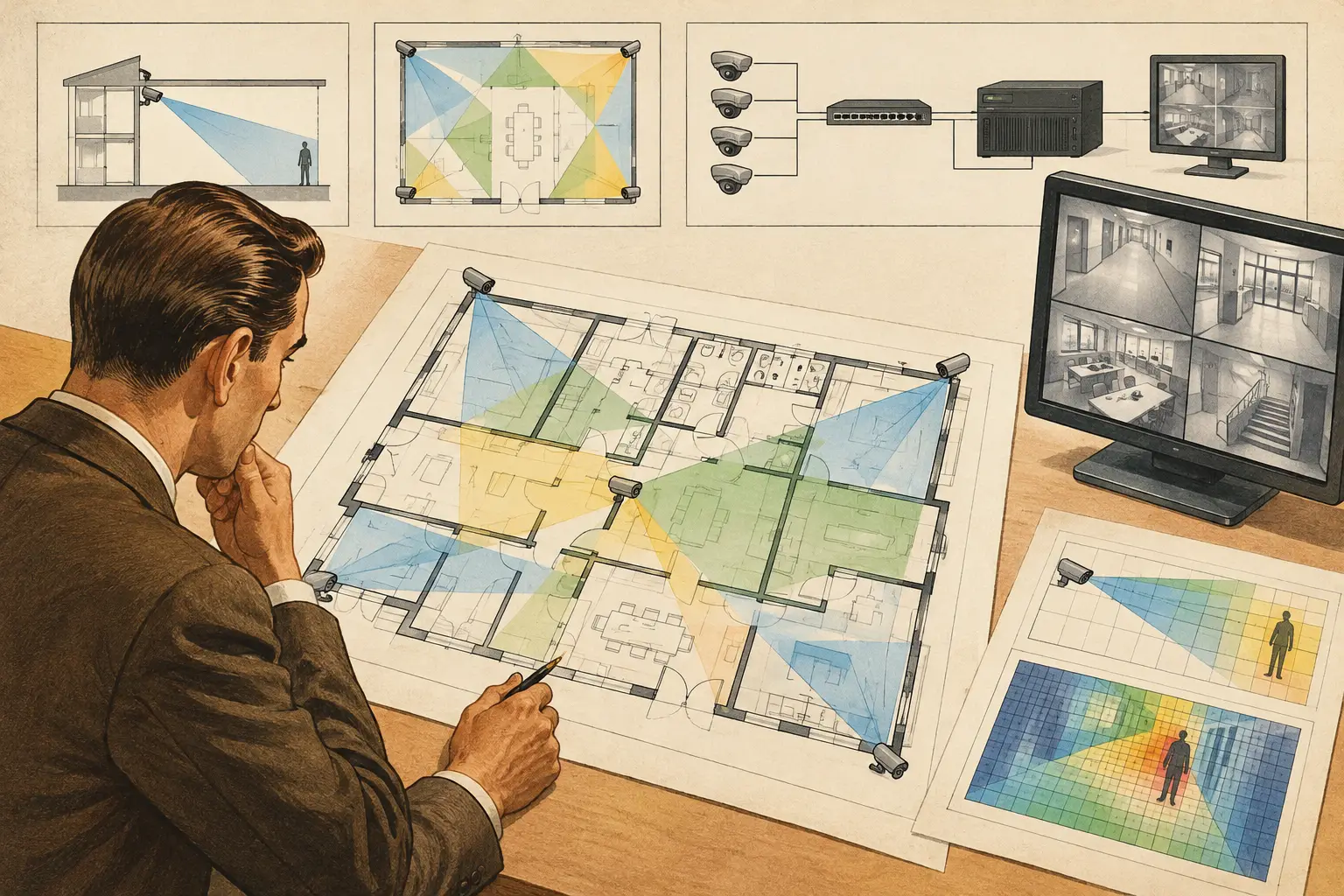
A camera cone drawn across an uncalibrated floor plan is not a sightline review. It is only an assumption. To understand how to review camera sightlines properly, reviewers need to test the relationship between the camera, the target area, the physical environment, and the required identification outcome.
A practical review checks more than whether a camera appears to face a door, corridor, or perimeter. It confirms whether the chosen focal length, sensor size, mounting height, direction, and tilt create usable pixel density at the point where it is needed. It also considers whether walls, shelving, soffits, landscaping, vehicles, and future fit-out items will interrupt that view.
Start With a Trustworthy Plan
Sightline analysis depends on scale. Import the current architectural or site drawing, then calibrate it against a known dimension before placing or reviewing any cameras. A plan that is even slightly out of scale can distort field-of-view width, distance-to-target calculations, camera spacing, and pixel-density results.
Check that the drawing reflects the design stage being reviewed. A concept plan may be adequate for an early coverage strategy, while a construction review should account for current wall layouts, door swings, ceilings, racking, counters, gates, and external structures. Where a drawing is incomplete, record the assumption rather than treating it as verified geometry.
The output at this stage is a calibrated base plan with a clear reference scale. Without it, subsequent sightline conclusions should be treated as preliminary.
Define What Each Camera Must Achieve
Before reviewing coverage, establish the operational purpose of every camera. A camera intended to observe general activity across a lobby has a different design requirement from one intended to identify a person entering through a controlled door.
Use the project brief to define the required level of detail at the target area. DORI provides a useful framework for distinguishing detection, observation, recognition, and identification objectives. Pixel density, often expressed as pixels per meter or PPM, translates that objective into a measurable design input.
Do not assume the entire field of view requires the same PPM. In many projects, the priority zone is a narrow line at a doorway, turnstile, cash point, vehicle gate, or perimeter breach point. Wider situational coverage may be acceptable around it. This distinction can avoid the common error of specifying a camera that provides broad visual awareness but insufficient detail where an event must be assessed.
Review the target plane, not only the floor plan
A plan view is essential, but it does not show the full evidence requirement. Consider the plane where the subject will appear. For a pedestrian entrance, that may be a vertical area around face height. For a vehicle gate, it may include the approach lane, driver position, and any relevant access-control interaction.
Ask three direct questions: Where will the subject be? At what distance from the camera? What PPM is calculated at that location? A camera may have an acceptable field of view on the plan while its calculated detail falls below the stated project objective at the actual target.
Check Camera Parameters Before Judging the View
A sightline is created by optical and physical inputs, not by direction alone. Confirm the camera specification used in the review, including resolution, sensor size, focal length or varifocal setting, mounting height, azimuth, and tilt. A change to any of these values can materially alter coverage width, distance performance, and blind spots.
Wide focal lengths cover more area but reduce pixel density as the scene expands. Longer focal lengths can improve detail at a target but may create a narrower field of view and increase sensitivity to small positioning errors. Neither approach is universally correct. The appropriate selection depends on the target distance, required DORI outcome, environmental conditions, and need for contextual coverage.
Mounting height also requires careful review. Raising a camera can extend its view over some obstructions, but it often increases the downward angle and may reduce useful facial detail. A lower mounting position can improve the target angle but may make the camera more vulnerable to tampering or line-of-sight blockage. Review these trade-offs against the actual architecture rather than applying a standard height to every location.
Review Occlusion in Plan and Elevation
Occlusion is where many otherwise credible coverage drawings fail. A field-of-view cone should terminate or be interrupted by physical geometry where appropriate. If the design tool shows coverage passing through a wall, the result is not a valid sightline.
Review walls first, then fixed elements such as columns, stair cores, elevators, ceiling bulkheads, furniture, counters, loading bays, fences, gates, and landscaping. In warehouses and retail environments, include operational obstructions such as pallet racking, end-cap displays, parked vehicles, and temporary storage. These items may not be visible on an early architectural plan, so coordination with the project team is necessary.
Elevation is equally important. A plan may show a clear path between camera and target, while a soffit, sign, duct, beam, canopy, or raised door blocks the camera at its installed height. Conversely, a camera placed above a partition may see over it even when the plan view looks constrained. Review the sightline in three dimensions wherever the risk of obstruction is material.
Treat doors and openings as variable geometry
Openings are not always clear sightlines. A door can be open, closed, propped open, or held at an angle that blocks part of the camera view. Roll-up shutters, vehicle barriers, sliding gates, and turnstiles also change the scene. Review the normal operating position and credible alternative positions that affect the security objective.
For external cameras, consider seasonal vegetation growth, parked vehicles, service equipment, site signage, and glare-control structures. These are often installation-stage realities rather than drawing-stage details, but noting them early makes the design more traceable.
Test Blind Spots and Coverage Overlap
Once individual camera sightlines are valid, review the gaps between them. Blind spots are not always visible as large empty zones. They may occur at corridor junctions, immediately below high-mounted cameras, behind door leaves, at the far edge of a wide-angle image, or between perimeter cameras aimed in opposite directions.
Coverage overlap should be purposeful. Overlap can provide continuity when a subject moves between views, support incident reconstruction, and reduce the impact of a temporary obstruction. However, excessive overlap can add cost and complexity without improving the required outcome. Review whether overlapping cameras deliver different value, such as one contextual overview and one tighter identification view.
Pay particular attention to transitions: building entrances, reception thresholds, elevator lobbies, stair doors, loading-dock approaches, and vehicle entry lanes. These are locations where subjects change direction, doors operate, and occlusion is common.
Record Assumptions and Review Actions
A good sightline review produces decisions that an installer, consultant, or project owner can understand later. For each material issue, record the camera reference, affected target area, calculated result, obstruction or uncertainty, and required action. Examples include adjusting the mounting location, revising focal length, adding a second viewpoint, confirming a rack height, or coordinating a ceiling obstruction.
This record separates calculated design results from site-verified conditions. Design software can model geometry, field of view, and pixel density based on entered inputs, but actual performance still depends on installation tolerances, final camera settings, lighting, scene contrast, cleanliness, compression settings, and manufacturer-specific behavior. A qualified professional should review project requirements and verify conditions on site before acceptance.
A browser-based workspace such as CCTV Design Tool Online can help keep the calibrated drawing, camera parameters, wall geometry, DORI analysis, coverage views, and report outputs connected. That continuity is useful during revisions because a changed camera position or focal length can be reviewed against the same documented assumptions.
Use a Site Walk to Close the Gap
The final desk review should lead to a focused site walk, not replace one. Verify mounting surfaces, cable pathways, accessible installation heights, likely obstructions, and the practical ability to aim the camera as designed. Compare the built environment with the reviewed plan, particularly where late architectural or operational changes may have occurred.
The most useful sightline review is therefore a disciplined chain: calibrated geometry, defined target requirements, valid optical inputs, obstruction checks, overlap analysis, and documented actions. When each link is visible, teams can resolve problems before they become installation rework or disputed coverage expectations.