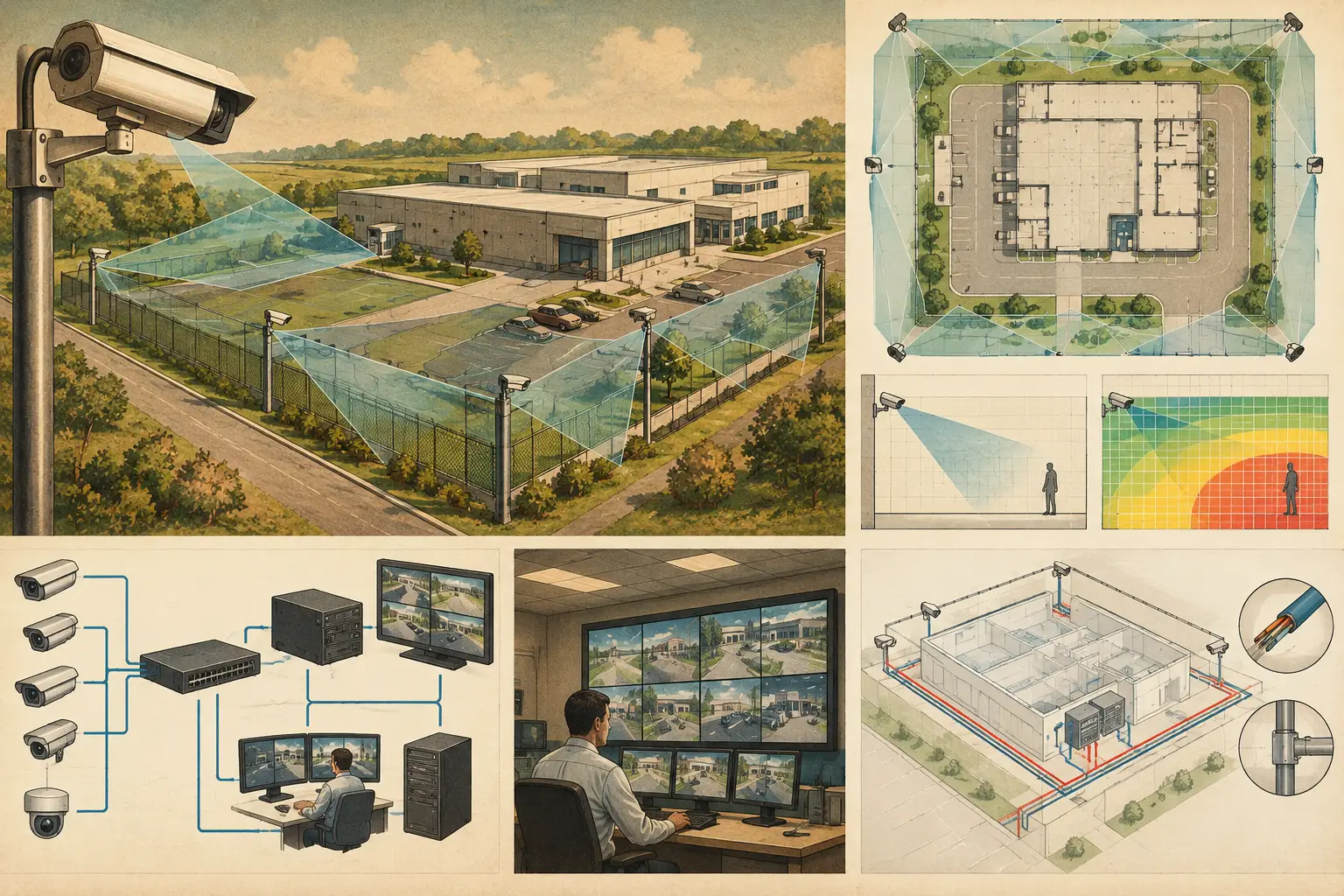
A perimeter camera plan fails long before the installer mounts the first device if it begins with a line drawn around a property rather than a defined security objective. This perimeter surveillance planning guide sets out a disciplined workflow for turning site risks, physical geometry, and operational requirements into a CCTV design that can be reviewed, installed, and maintained.
Perimeter surveillance is not simply about seeing the boundary. A long-range overview camera may show that a person entered an area, while providing insufficient pixel density to identify that person. Conversely, a narrow field of view may satisfy an identification target at a gate but leave adjacent approach routes unobserved. The design must establish where detection, observation, recognition, or identification is needed and model each requirement at the correct location.
Start With the Perimeter Security Objective
Before selecting camera specifications, define what the security team needs to know at each segment of the perimeter. The answer can differ substantially between a public-facing vehicle entrance, an unmanned service road, a fence adjoining open land, and a roof-level access route.
Document the asset being protected, likely approach paths, operating hours, expected lighting conditions, and the required response. For example, a camera covering a remote fence line may support early detection and operator assessment, while coverage at a pedestrian gate may need to support recognition or identification. These are different design tasks with different pixel-density targets, focal lengths, and fields of view.
Also identify the detection method. CCTV may be the primary means of detection, or it may be used to verify alarms from fence sensors, access control, radar, intercoms, or intrusion detection equipment. When cameras are intended for alarm verification, their field of view should include the alarm zone with enough usable image detail for the intended operator decision. A camera aimed generally toward the zone is not necessarily adequate.
Survey the Physical Environment Before Drawing Coverage
A perimeter is a three-dimensional environment. Site drawings often omit information that changes camera performance: level changes, retaining walls, landscaping, parked vehicles, gates, utility cabinets, canopies, and neighboring structures. Treat the base plan as a starting point, not proof of site conditions.
Import and calibrate the drawing using a reliable known dimension. Incorrect scale calibration affects every downstream output, including camera range, field of view, pixel density, cable length estimates, and coverage analysis. If the available plan is preliminary, record that status and identify dimensions requiring field verification.
Review the proposed camera routes in relation to actual geometry. Fence corners, building recesses, loading areas, and gate pockets often create occlusion that a simple camera cone does not reveal. A plan should also distinguish fixed obstructions from variable ones. A wall is fixed; a truck waiting at a barrier, a raised gate arm, seasonal vegetation, or stacked materials may be variable, but each can remove a critical view in operation.
Record Site Conditions That Change the Design
At minimum, capture mounting opportunities, available heights, lighting, access for maintenance, existing containment, network cabinet locations, and power sources. Consider whether poles will be subject to vibration and whether a building-mounted camera could be obstructed by architectural features or future signage.
The survey should also account for the camera's viewing direction relative to daylight and artificial lighting. Looking directly into low sun, headlights, or an illuminated gatehouse can reduce usable detail even when calculated PPM appears satisfactory. Camera features and manufacturer-specific low-light performance may help, but design calculations alone cannot predict every scene condition. Validate high-risk views during commissioning.
Segment the Boundary and Assign DORI Requirements
Breaking the perimeter into manageable segments makes the plan reviewable. Each segment should have a purpose, a target area, and an expected level of image detail. Avoid assigning one broad requirement such as “cover the fence” to an entire site.
DORI provides a practical structure for this conversation: detection, observation, recognition, and identification. The appropriate target depends on the operational use case, not on the highest possible number. Identification coverage across an entire long fence may require an impractical number of cameras. Detection coverage with targeted recognition or identification at gates, crossing points, and likely entry routes may be a more proportionate design.
Calculate pixel density, commonly expressed as pixels per meter or PPM, at the actual target plane. Do not rely on a camera’s resolution alone. Resolution is distributed across the field of view: widening the view reduces pixel density at the scene, while a longer focal length narrows the view and can improve detail at distance. Sensor size, focal length, mounting height, camera direction, and tilt all affect the result.
A useful camera schedule records the intended DORI objective, required PPM, calculated PPM at the target, lens or focal-length setting, mounting height, direction, tilt, and the coverage zone served. This creates traceability when a reviewer asks why a camera was selected or why a location changed.
Position Cameras for Useful, Not Merely Visible, Coverage
Place cameras based on target geometry and operational task. For a fence line, an oblique view can show movement along the boundary, but it may provide weak facial detail because subjects appear at changing distances and angles. A perpendicular or controlled choke-point view may be required elsewhere to meet recognition or identification needs.
Mounting height is a trade-off. A higher camera can see over local obstructions and reduce tampering risk, but it also creates steeper viewing angles and may reduce useful facial detail near the camera. A lower camera can deliver a more favorable angle at a gate, yet may be more vulnerable to damage, glare, or deliberate obstruction. Select height and tilt in relation to the target, not as a standard default.
Plan overlap deliberately. Some overlap between adjacent fields of view supports continuity when a subject passes from one zone to another and can reduce blind spots at corners. Excessive overlap, however, can consume camera count and network capacity without improving the security outcome. The right amount depends on risk, operator workflow, and whether another system is providing detection.
Test Occlusions at the Target Area
For each camera, inspect whether walls, gate structures, buildings, and other modeled objects block the field of view. Then assess the likely real-world scene. A coverage graphic can demonstrate calculated visibility through known geometry, but it does not replace a site survey or commissioning test.
Be especially careful at gates. Sliding gates, swing gates, vehicle barriers, visitor kiosks, and queuing vehicles create changing sight lines. Use separate views where one camera cannot maintain the required detail through every gate state. The objective is not to eliminate every visual obstruction on a site, which may be impossible, but to understand the residual blind spots and make an informed decision about them.
Design the Supporting Network and Power Path
A camera location is only viable if the infrastructure supports it. Network topology should be considered while camera placement is still flexible. Map each device to a switch, cabinet, uplink, and recording destination, then review cable routes, distances, power budget, and resilience requirements.
Higher resolutions, frame rates, and multiple streams can increase bandwidth and storage demand. Those requirements should be calculated from the selected camera configuration and recording policy rather than guessed from camera quantity alone. Outdoor perimeter devices may also require surge protection, environmental protection, and appropriate enclosures based on the project conditions and applicable local requirements.
Coordinate early with ICT, electrical, civil, and architectural disciplines. A technically valid camera position can become unbuildable if a pole foundation conflicts with buried services, a cable route crosses a fire compartment without an approved solution, or a cabinet has insufficient space and cooling. These are coordination issues, not reasons to compromise the security objective without documenting the effect.
Produce a Reviewable Perimeter Surveillance Plan
The final deliverable should allow another professional to understand both the design intent and its limitations. Include calibrated plan views, camera identifiers, fields of view, coverage zones, DORI or PPM results, mounting data, camera schedule, network concept, and notes identifying assumptions or areas requiring site confirmation.
A persistent design workspace is valuable during this stage because revisions to walls, camera locations, focal length, or mounting height can be checked against the same physical model. CCTV Design Tool Online can support this workflow by combining calibrated drawings, modeled obstructions, field-of-view visualization, DORI calculations, network planning, and structured reporting in one project record.
Calculated coverage should be treated as engineering evidence, not a guarantee of field performance or regulatory acceptance. Manufacturer datasheets, site lighting, installation tolerances, scene activity, video management settings, and local authority requirements all require separate verification by qualified professionals.
A well-planned perimeter does more than place cameras along a boundary. It gives operators a clear reason for every view, installers buildable locations and routes, and project reviewers a traceable basis for deciding where the remaining risk is acceptable.