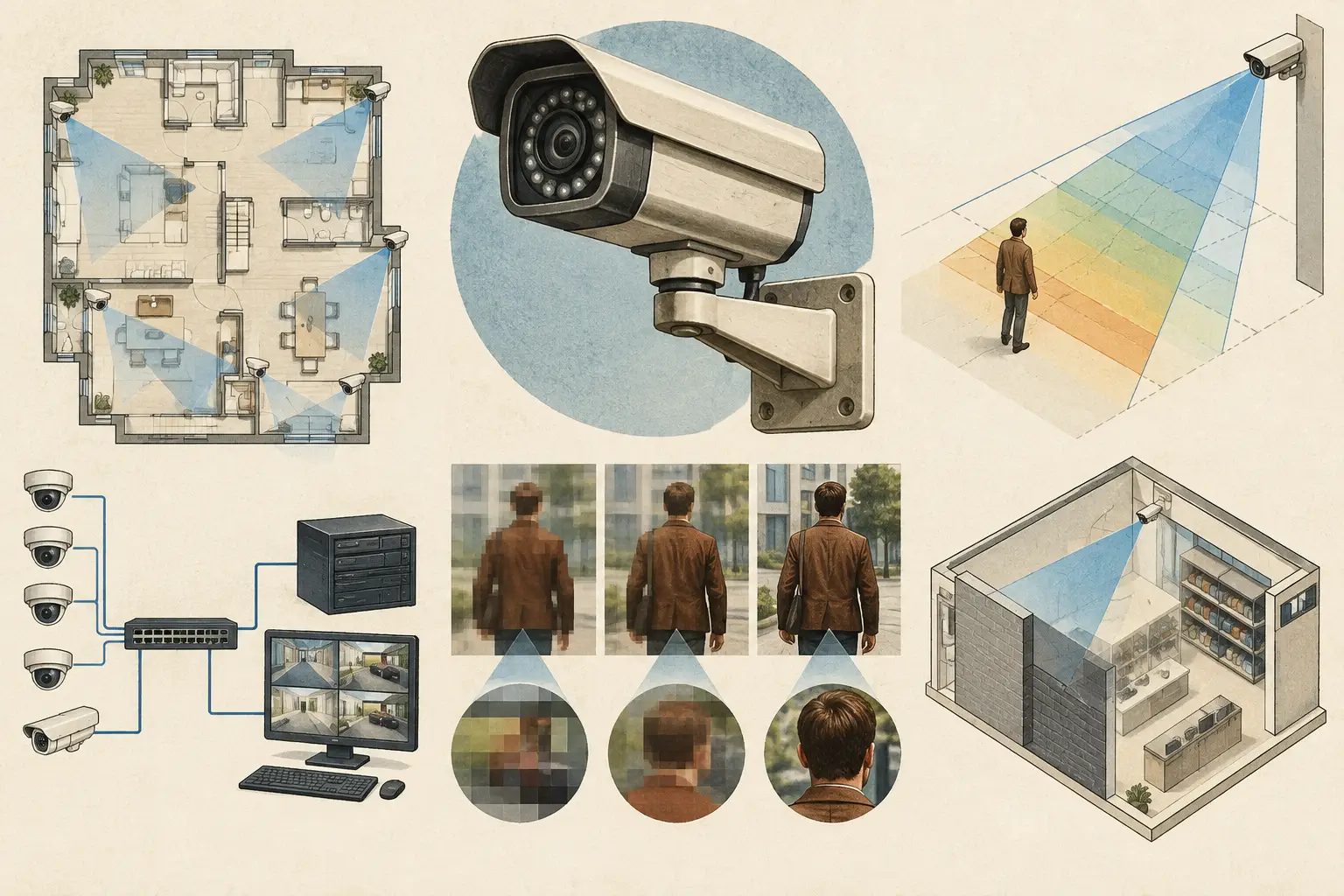
A camera specified as 4 MP, 8 MP, or 12 MP does not tell a reviewer whether it can identify a person at a gate or recognize a face at a reception desk. The practical question is what camera resolution is needed at the target distance, across the required field of view, and for the defined operational objective.
For CCTV design, resolution is an output of coverage engineering, not a starting point. A higher-megapixel camera may provide useful detail over a wide scene, but only if focal length, sensor size, mounting position, lighting, compression, and scene geometry support the intended result. Conversely, a lower-resolution camera with a tighter field of view can provide substantially more usable pixel density on a specific target.
What camera resolution is needed for the task?
Start by defining what the operator, investigator, or security process must achieve at each location. Detecting movement along a perimeter, observing activity in a lobby, recognizing a known visitor, and identifying an unknown individual are different requirements. They should not be designed with one generic resolution value.
A common planning framework is DORI: Detection, Observation, Recognition, and Identification. These categories translate operational intent into pixel-density targets, usually expressed in pixels per meter (PPM). Widely used DORI planning benchmarks are approximately 25 PPM for detection, 62.5 PPM for observation, 125 PPM for recognition, and 250 PPM for identification. Project requirements, camera commissioning tests, and applicable authority requirements may set different criteria, so these values should be treated as engineering reference points rather than universal compliance thresholds.
For example, a loading-yard overview camera may only need detection-level coverage across a broad area. A camera viewing a controlled entrance may require recognition or identification coverage over a much narrower zone. Specifying the same 8 MP camera for both locations does not establish that either requirement is met.
Calculate pixel density before choosing megapixels
The core check is straightforward:
PPM = horizontal image pixels / scene width in meters
If the relevant scene width is 12 meters and the selected camera configuration provides 3,840 horizontal pixels, the calculated density is 320 PPM. On paper, that exceeds a 250 PPM identification planning target across that 12-meter width. If the same camera views a 30-meter-wide scene, density drops to 128 PPM, which is closer to recognition-level coverage.
This calculation explains why megapixel labels alone can mislead. Total resolution includes both horizontal and vertical pixels. For a horizontal CCTV scene, horizontal pixel count and the physical width of the area at the target distance are the values that matter first.
The calculation must also be applied where the target actually appears. A camera can meet a required PPM figure at the center of its field of view but fall below it at the far edge, where the scene is wider and lens distortion may be greater. If identification is required only at a door threshold, measure the threshold zone rather than claiming identification across an entire parking lot.
Field of view changes the answer
Field of view is controlled by focal length, sensor size, and camera-to-target distance. A wider lens sees more of the scene, but distributes the available image pixels over a larger physical width. A longer focal length narrows the view and increases pixel density at the target, while reducing contextual coverage.
Neither approach is automatically better. A wide-angle camera can be appropriate for situational awareness, queue monitoring, or general movement detection. A narrower view may be needed to capture usable detail at a reception lane, vehicle entry point, cash-handling area, or external access gate.
The design decision is often to use two cameras with distinct roles rather than ask one camera to provide both broad overview and high-detail evidence. That approach can also create resilience if one field of view is obstructed or compromised.
Resolution depends on more than the image sensor
An image sensor does not operate in isolation. A specification should be reviewed as a set of connected parameters: resolution, sensor size, lens focal length, aperture behavior, frame rate, mounting height, tilt, direction, and expected lighting conditions.
Mounting a camera higher can reduce tampering risk and expand scene coverage, but it can also produce steep viewing angles. A face may occupy enough pixels in the image while still being poorly presented for recognition because the camera is looking down onto the top of a person’s head. Lower mounting, adjusted tilt, or a second purpose-focused camera may be more appropriate where facial detail is required.
Low-light performance is another practical constraint. Increasing resolution may reduce the size of individual sensor pixels when comparing similar sensor formats. That can affect noise, motion blur, or exposure behavior in challenging conditions. Manufacturer data sheets and a representative site assessment should be used to assess these conditions. A calculated PPM result does not predict every aspect of nighttime image quality.
Compression and network design matter as well. Higher resolution, higher frame rates, complex scenes, and lower compression levels can all increase bitrate and storage demand. The required network topology, switch uplinks, recorder capacity, retention policy, and recording settings should be coordinated with the camera schedule. Reducing bitrate aggressively can remove fine detail that appeared available in an uncompressed coverage calculation.
Design for the scene, not an empty floor plan
A camera cone drawn over a floor plan is not proof of usable coverage. Walls, partitions, shelving, doors, glazing, columns, canopies, parked vehicles, landscaping, and changing stock can create occlusion. The camera may have a mathematical field of view toward an area that is not visible in practice.
Import and calibrate the drawing first. Scale calibration is essential because an incorrect plan scale affects camera distances, field of view dimensions, PPM calculations, cable estimates, and the credibility of the resulting report. Then model or review walls and relevant physical geometry, position the proposed cameras, and assess coverage at the correct mounting height and tilt.
For each camera, document the purpose, target zone, required PPM or DORI level, calculated field of view, mounting assumptions, and any known limitations. Coverage overlap should be intentional. An overlap at a door, corridor junction, or vehicle entrance may preserve visibility when a person is masked by an opening door or an aisle obstruction. Unnecessary overlap across low-risk areas, however, can add cost and network load without improving the operational outcome.
CCTV Design Tool Online supports this workflow by bringing calibrated plans, camera parameters, physical obstructions, field-of-view visualization, DORI review, and structured reporting into one persistent design workspace. The resulting calculations remain design guidance and should be checked against verified site conditions, selected equipment data sheets, and the project’s approved requirements.
A practical resolution selection workflow
Use the operational requirement to narrow the camera specification before comparing models. First, identify the target: a pedestrian path, face zone, license plate approach, counter position, perimeter line, or open-area overview. Next, define the required action at that target, such as detection, recognition, or identification.
Then establish the real geometry. Measure target distance and width, confirm mounting position, and account for likely occlusions. Select a preliminary sensor resolution and focal length, calculate PPM across the relevant target zone, and adjust the lens or camera placement if the result is inadequate. Review the same design at its edges and at critical approach angles, not only at the most favorable center point.
Finally, coordinate the result with lighting, recording configuration, storage, network capacity, privacy requirements, and installation access. If the camera must perform in low light or capture fast movement, validate the selected model and settings through a controlled test or a representative demonstration. Calculated coverage is valuable because it makes assumptions visible; actual field performance still depends on installation quality and site conditions.
Avoid the common “more megapixels” mistake
Overspecifying resolution can create avoidable cost in cameras, storage, server performance, network capacity, and review workload. Underspecifying it can leave a critical target with insufficient detail when footage is needed. The appropriate resolution is therefore not the largest number available. It is the resolution that meets the defined pixel density over the intended target, with a workable field of view and realistic environmental assumptions.
Treat every camera as a measured response to a security task. When the target zone, PPM requirement, focal length, geometry, and limitations are documented clearly, the resolution decision becomes easier to review, revise, and defend as the project moves from drawing to installation.