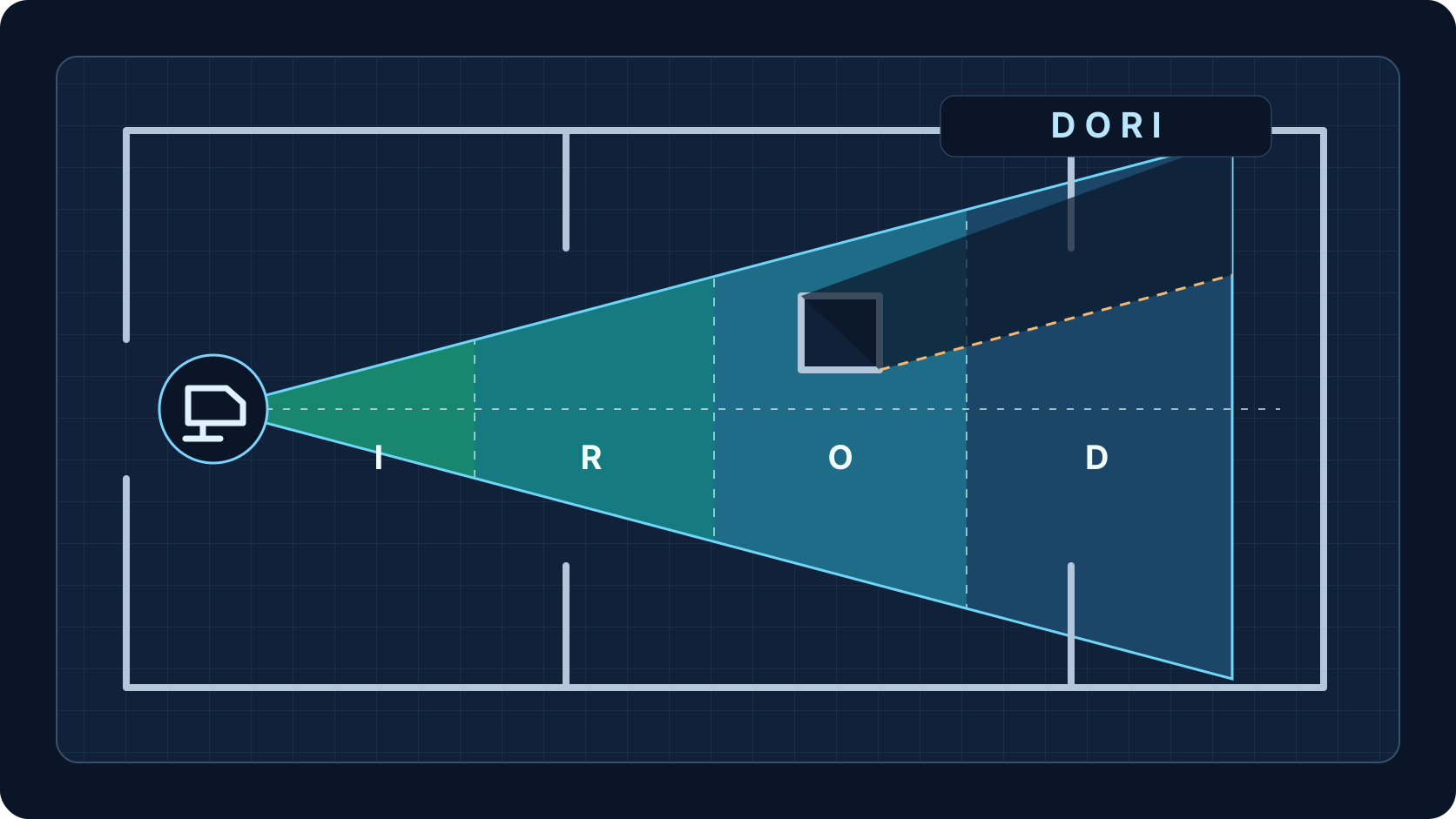
Blind-Spot and Overlap Analysis
Find missing coverage and review overlap
See where walls occlude views and where additional cameras may be needed.
Benefit
Identify gaps before installation and reduce unexpected coverage failures.
How it works
Walls, glass, and solid surfaces block or alter coverage. The platform highlights visible coverage, overlapping regions, and blind spots so the designer can adjust camera positions or add cameras.
Typical user
Installers, consultants, and enterprise reviewers checking coverage completeness.
Example use case
A storage area behind a wall is flagged as a blind spot; the designer adds a camera or adjusts an existing camera direction to cover it.
Key inputs
- Camera positions and FOV
- Wall geometry
- Occlusion behavior settings
Key outputs
- Visible coverage area
- Blind-spot regions
- Overlap indicators
Technical note
Occlusion uses the wall geometry supplied by the designer. Missing or inaccurate walls will produce incorrect blind-spot results.
Technical resources